sitemap이란 해당 사이트에 어떠한 페이지나 파일등이 있는지 미리 안내함으로써 검색엔진이 더 효율적으로 크롤링을 하게 도와주는 파일이라고 볼 수 있다. 때문에 더 나은 SEO를 위하여 sitemap을 잘 만드는것이 중요하다. 그러나 정적인 페이지가 아니라, 블로그의 새로운 글이라던지, sns의 새로운 피드 등 동적으로 추가되는 페이지는 빌드할 때 미리 생성할 수 없으므로, 마찬가지로 동적으로 sitemap을 생성해주어야 한다.
next-sitemap 라이브러리는 next 환경에서 아주 쉽게 동적으로 sitemap을 생성하게끔 도와준다.
yarn add next-sitemapnext-sitemap을 설치한다.
/** @type {import('next-sitemap').IConfig} */
module.exports = {
  siteUrl: 'https://example.com',
  generateRobotsTxt: true,
  exclude: ['/server-sitemap.xml'],
  robotsTxtOptions: {
    additionalSitemaps: [
      'https://example.com/server-sitemap-feeds.xml',
      'https://example.com/server-sitemap-projects.xml',
    ],
  },
}
프로젝트 root에, 위와같은 config 파일을 생성한다. additionalSitemaps 옵션에 동적으로 생성할 sitemap파일의 이름을 추가해주어야한다. 그래야 next-sitemap이 실행 될 때, 해당 이름으로 새로운 index를 만들어준다.

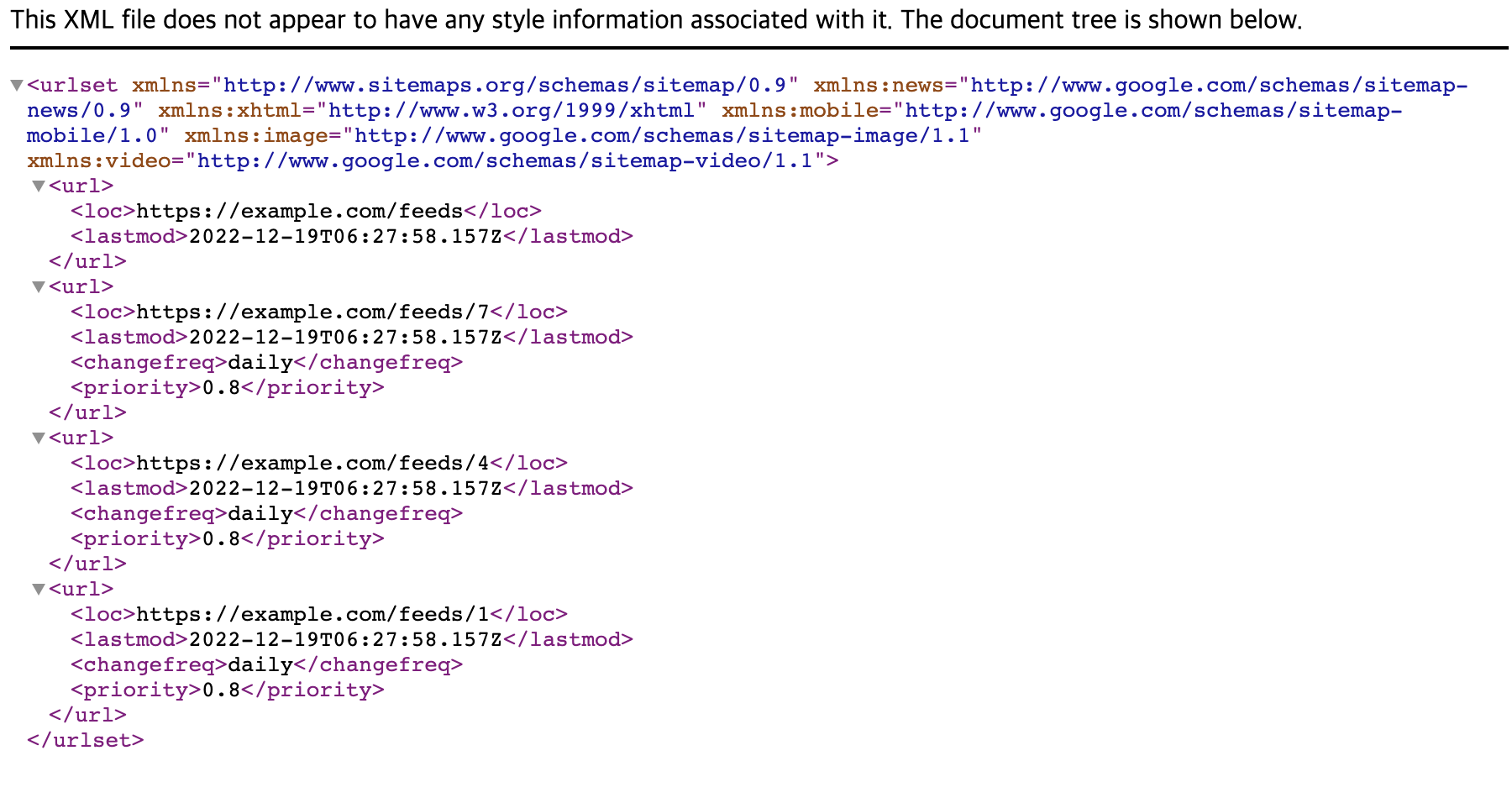
이처럼 동적으로 생성되는 sitemap의 인덱스를 추가함으로써, 검색엔진의 크롤러는 우리 사이트의 server-sitemap-feeds.xml을 크롤링한다.
export const getServerSideProps: GetServerSideProps = async (ctx) => {

    const allFeeds: Feed[] = [];
    const lastmod = new Date().toISOString();

    let i = 1;
    while (true) {
        const data = await getFeedsData(i);
        if (data.data.length === 0) {
            break;
        } else {
            allFeeds.push(...data.data);
            i++;
        }
    }

    const defaultFields = [
        {
            loc: `${process.env.FRONT_DOMAIN}/feeds`,
            lastmod,
        },
    ];


    const feedsFields = allFeeds.map((feed: Feed) => ({
        loc: `${process.env.FRONT_DOMAIN}/feeds/${feed.id}`,
        lastmod,
        changefreq: "daily",
        priority: "0.8",
    }));


    const fields = [...defaultFields, ...feedsFields];

    return getServerSideSitemap(ctx, fields);
};

export default function Sitemap() {}
이제 pages/server-sitemap-feeds.xml 이라는 디렉토리를 생성하고, 그 안에 늘 해왓던대로의 next.js 코드를 작성하면 된다. next의 getServersideProps를 이용하기 때문에, 크롤러가 https://example.com/server-sitemap-feeds.xml 이라는 페이지에 접근하는 순간 서버사이드렌더링으로 현재까지 작성된 feeds의 id를 쭉 불러와 sitemap.xml의 형식으로 작성하여 크롤러에게 전달해주는것이다.
"build": "next build",
"postbuild": "next-sitemap",
마지막으로 next 빌드 환경에 위와같이 설정하여 빌드할 때 자동으로 next-sitemap이 실행되게끔 하였다.
next-sitemap 라이브러리를 사용하지 않고도 next.js의 ssr 을 잘 활용한다면 다른방법으로도 쉽게 동적으로 sitemap을 생성할 수 있을것으로 보인다.
Reference:
https://github.com/iamvishnusankar/next-sitemap
GitHub - iamvishnusankar/next-sitemap: Sitemap generator for next.js. Generate sitemap(s) and robots.txt for all static/pre-rend
Sitemap generator for next.js. Generate sitemap(s) and robots.txt for all static/pre-rendered/dynamic/server-side pages. - GitHub - iamvishnusankar/next-sitemap: Sitemap generator for next.js. Gene...
github.com
'WEB' 카테고리의 다른 글
| [React] React-query와 전역상태관리 라이브러리로 관심사분리하기 (0) | 2023.01.03 |
|---|---|
| [React] useState의 동작원리에 관하여 (0) | 2022.12.28 |
| DOM(Document Object Model) (0) | 2022.06.27 |
| CSS em & rem (0) | 2022.06.26 |
| JavaScript 기본 동작 원리 (with Stack, Queue, Event Loop) (0) | 2022.06.25 |